Personal Details
- Managing employee personal details is a critical aspect of Human Resources (HR) management. It involves the collection, maintenance, and protection of sensitive employee information. All the informations can be updated by employee itself.
Update Details
-
In ESS application -> Select Details Menu -> Basic info tab -> Basic information Section.
-
Here personal details like, First name, Last Name, reporting to, Designation, Date of Birth etc.(refer Fig2.1)
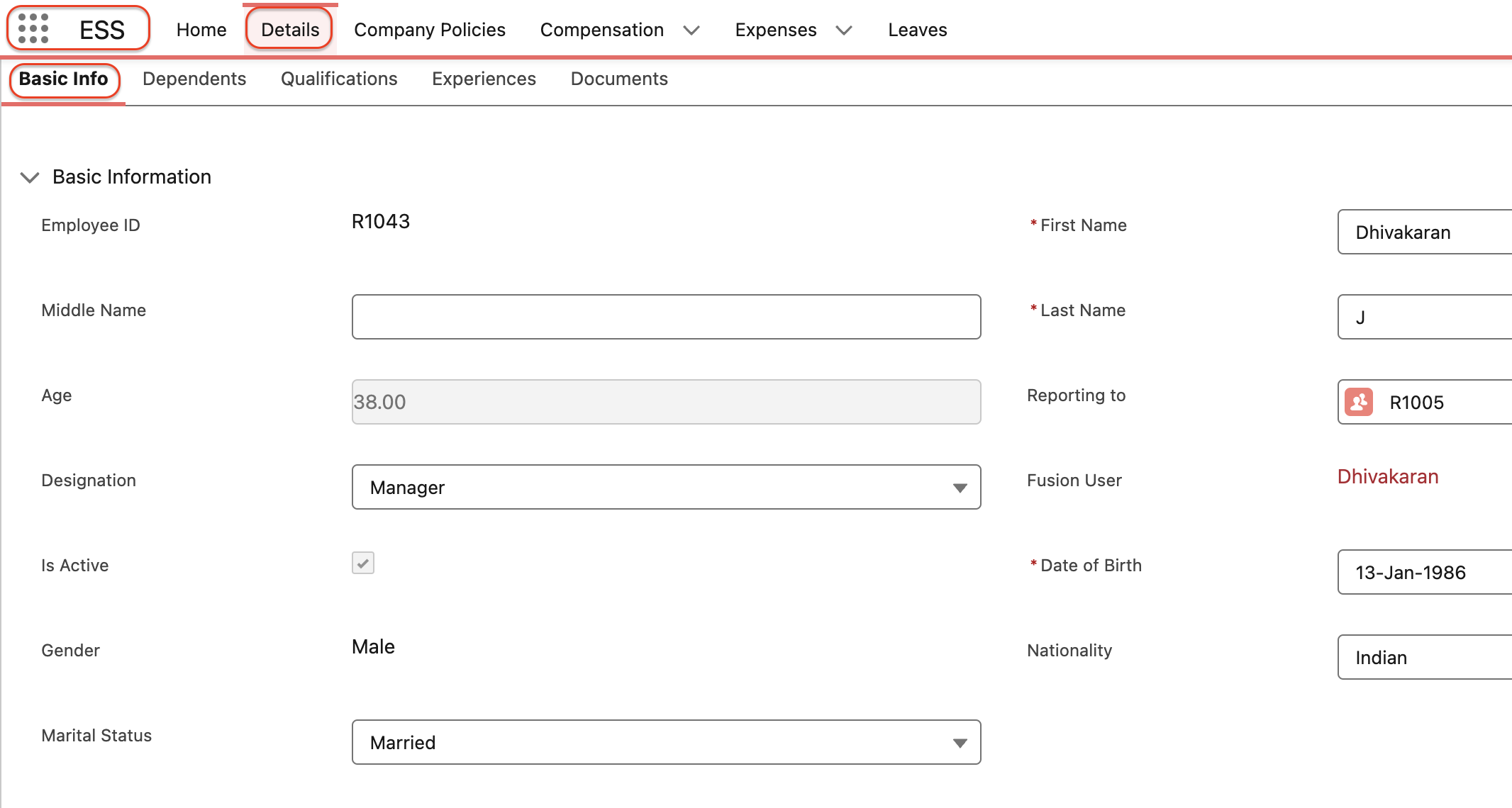 Fig 2.1
-
In Job details section update Date of joining, department, address etc,.(refer Fig 2.2)
-
In Official details section update Bank details and PF Account
-
Click Update button to update the changes done.(refer Fig 2.2)
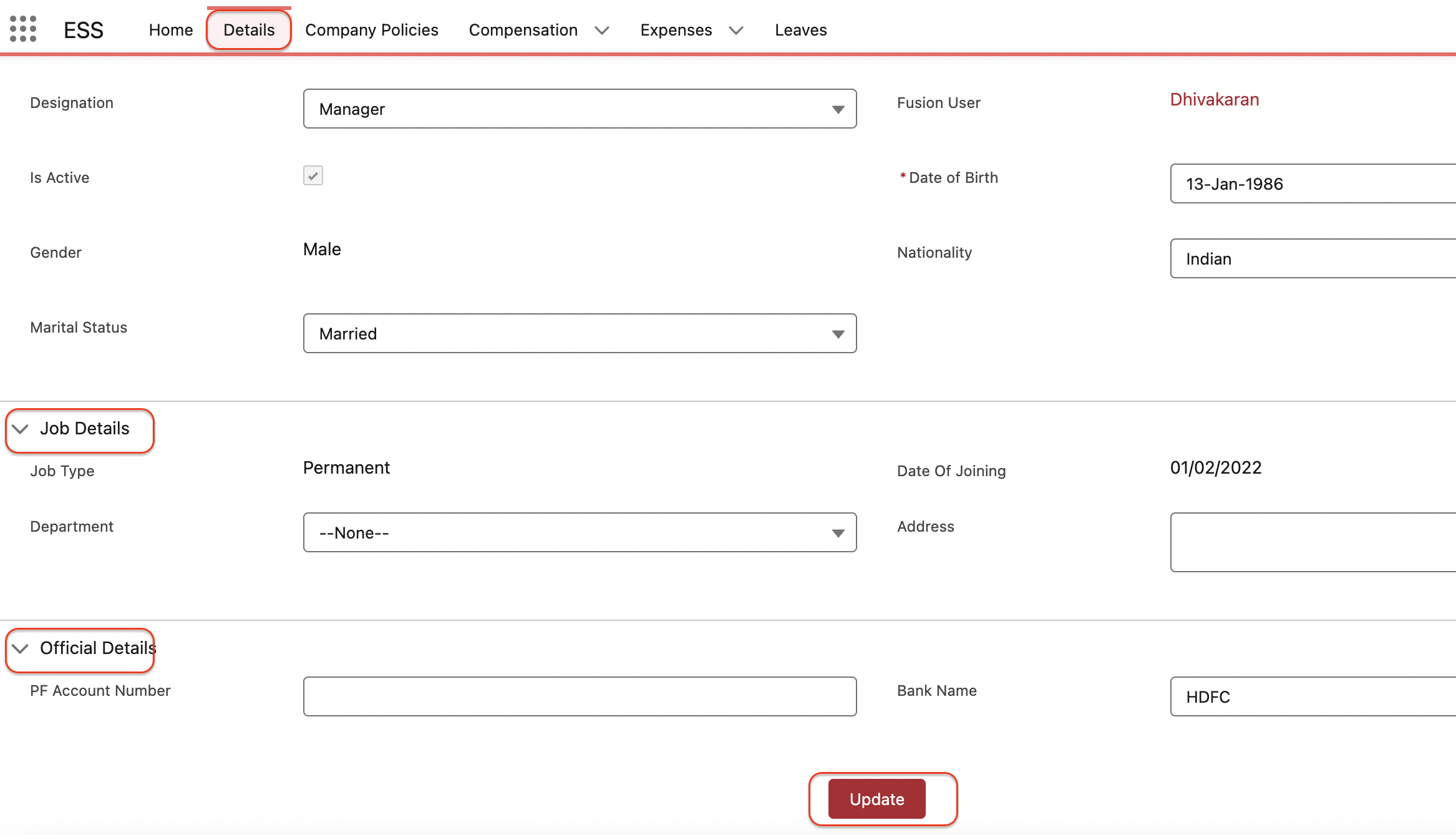 Fig 2.2
-
In Dependents Tab -> The employee can create their dependents contacts on their own by clicking the "Add a dependent" button.
-
The new contact screen opens, enter the required details and click save button to save the record.(refer Fig2.3)
-
Thus the contact created and the same will be stored in the employee related record.
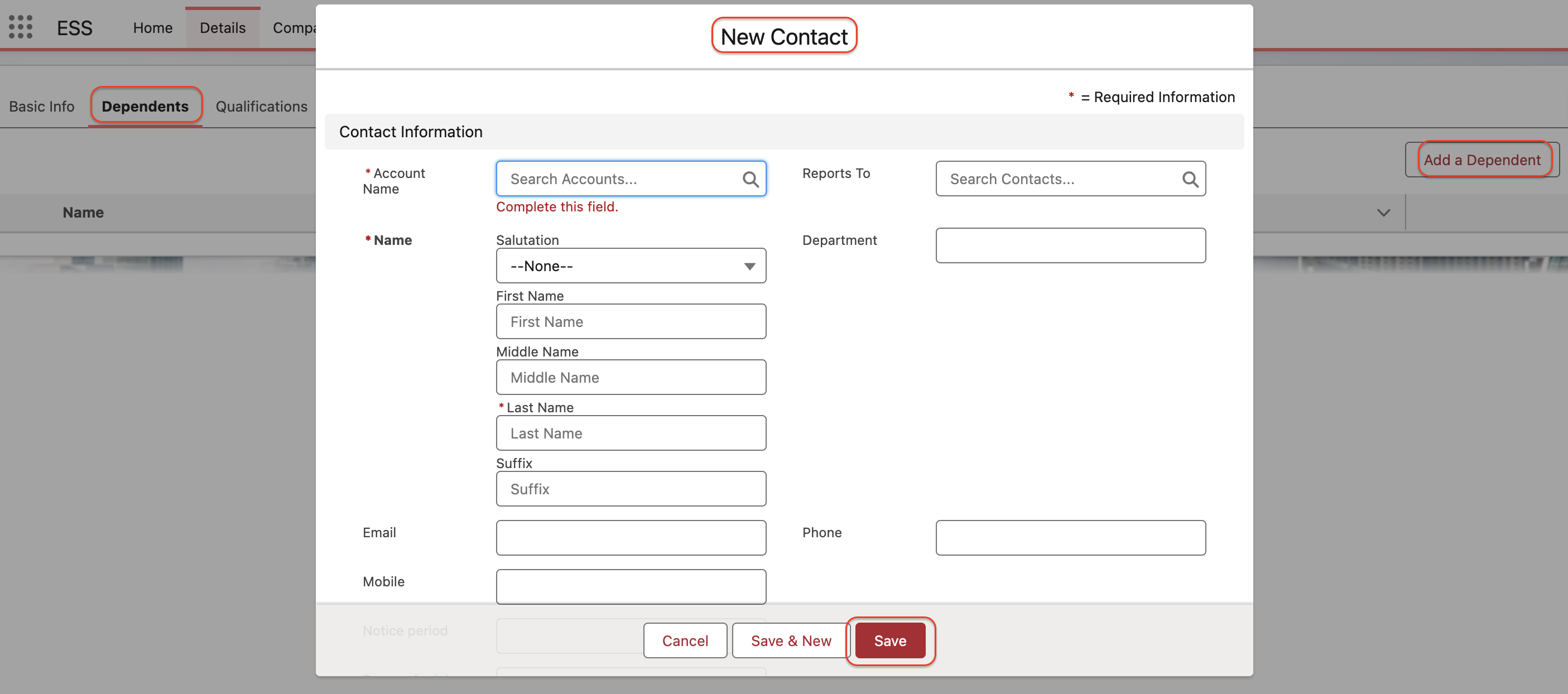 Fig 2.3
-
In Qualification Tab -> The employee can update his qualifications by clicking " Add a qualification " on their own.
-
The new qualification screen opens, enter the required details and click the save button to save the record.(refer Fig 2.4)
-
Thus the new qualification is created and the same will be stored in the employee related record.
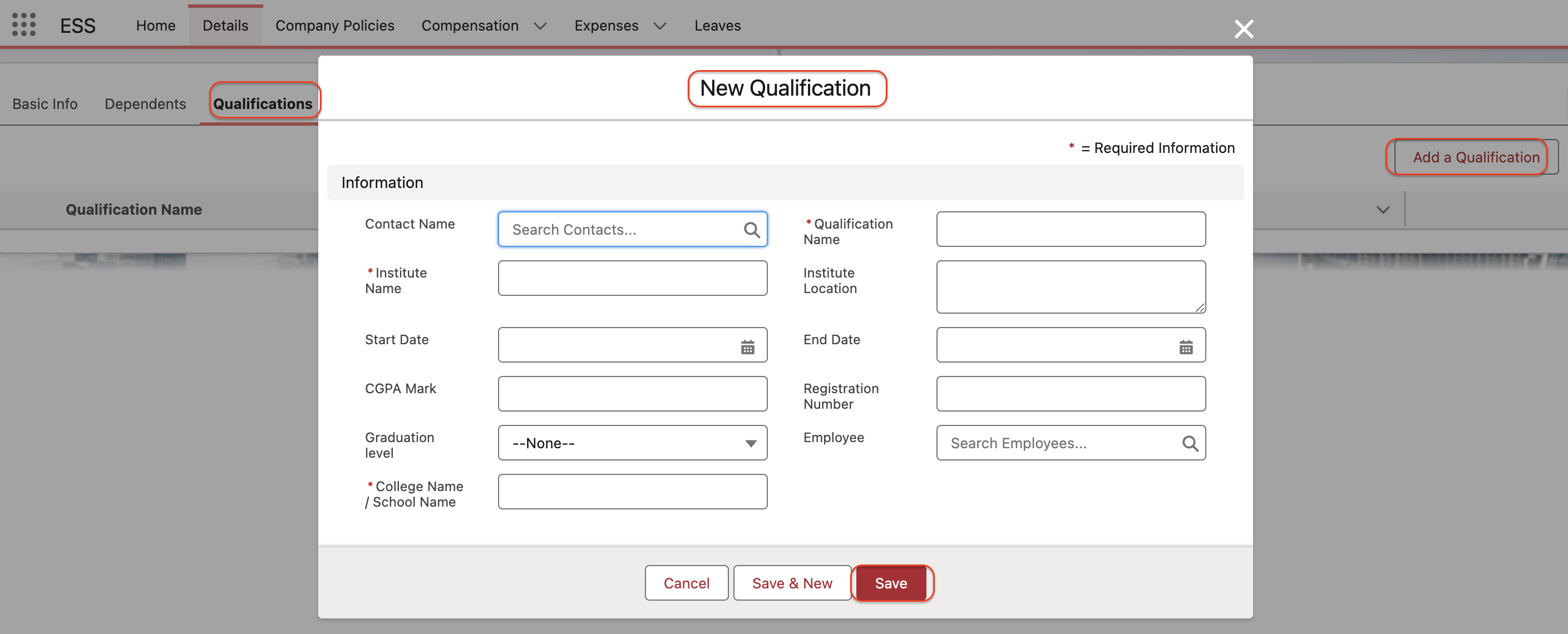 Fig 2.4
-
In Experience Tab -> The employee can update their "work experience" and their "project experience" by clicking Add a experience button.
-
Select the record type and click next button.
-
The new Experience screen opens, Enter the required details and clcik save button to save the records in the employee related record.(refer Fig 2.5)
-
Thus the employee experience will be created and the same will be stored in the employee related record.
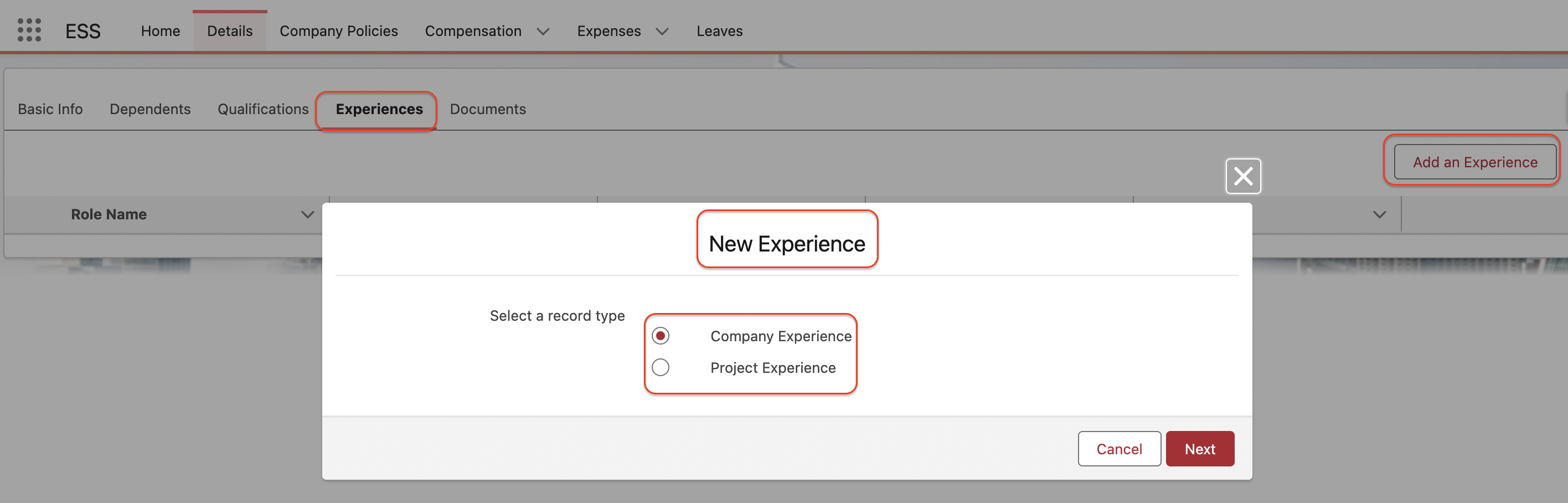 Fig 2.5